How to Create a Visually Consistent Image Series with AI
Genoriq Team · Oct 10, 2026
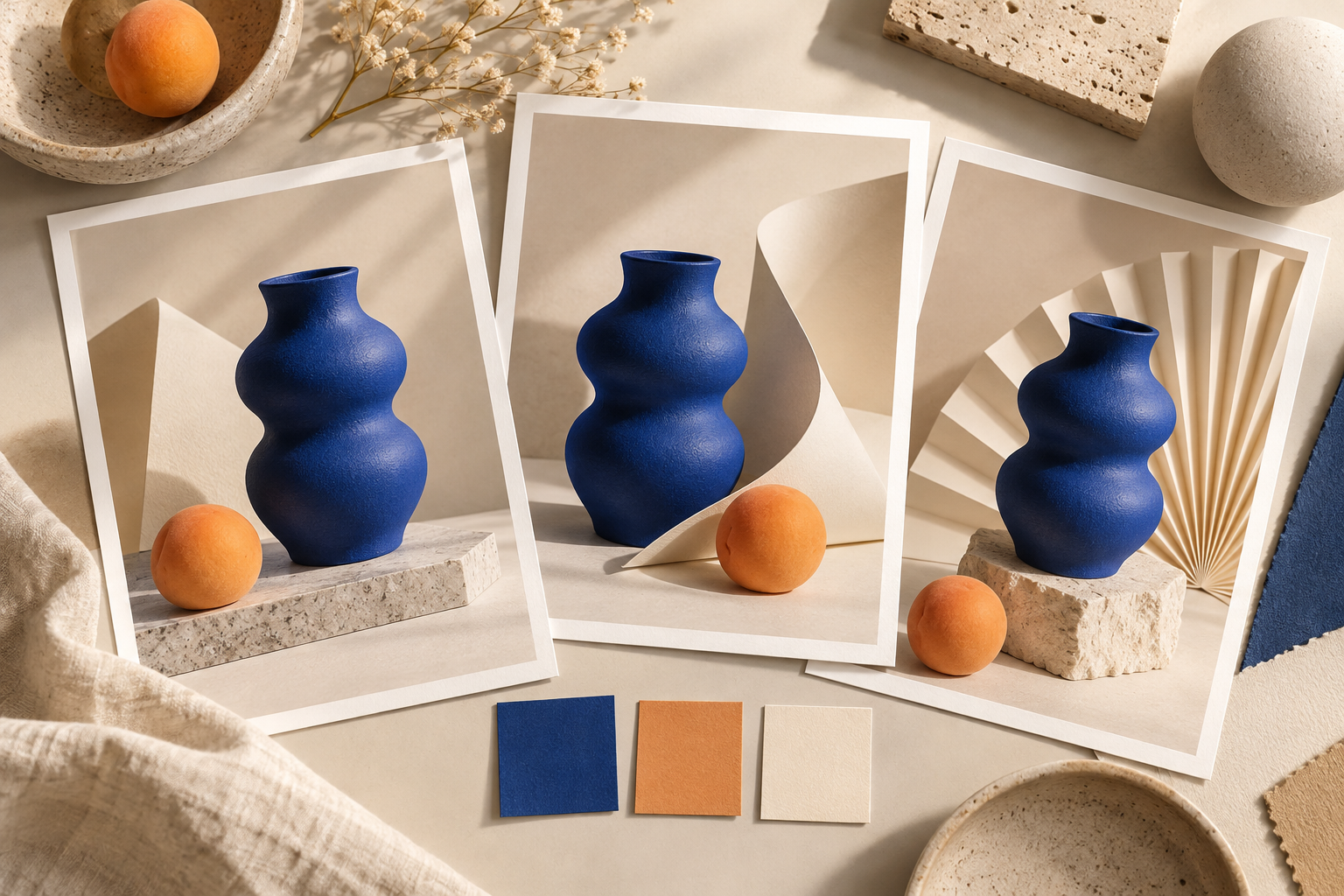
A single striking image is a useful starting point. A series has a different challenge: every frame must feel related while doing a distinct job. A product launch might need a hero image, a detail crop, and a social post. If the object changes shape, the lighting switches direction, or the palette drifts, those images can feel like three unrelated campaigns.
Consistency comes from deciding what stays fixed, what may change, and how you will judge the results. The following workflow is a practical method you can use when creating images with AI. It does not guarantee identical objects or exact colors; it gives you a repeatable way to spot and reduce unwanted variation.
1. Write a small creative brief before generating
Start with the job the images must do. Name the subject, audience, placement, and intended mood. Then separate the brief into fixed rules and permitted variations. A short, specific brief is easier to reuse than an expanding paragraph of style adjectives.
For a fictional ceramic collection, your working brief might look like this:
| Decision | Fixed across the series | May change between images |
|---|---|---|
| Subject | One cobalt-blue ceramic vase with a rounded body and narrow opening | Position within the frame |
| Palette | Cobalt blue, warm ivory, one apricot accent | Relative amount of each color |
| Lighting | Soft light from the upper left | Shadow length within a similar range |
| Materials | Matte ceramic, textured paper, pale stone | Arrangement of supporting surfaces |
| Composition | Clean background and generous breathing room | Wide scene, medium view, close-up |
This is an example brief, not a claim about a real product or a generated result. Replace the details with your own requirements.
2. Choose one visual anchor
Create a small first batch and select one image that establishes the desired direction. Judge it against the brief before choosing the most dramatic result. Your anchor should show the subject clearly, with lighting and proportions that will remain useful in other compositions.
If the selected model and interface support reference images or image editing, reuse the approved anchor in subsequent requests. Explain what the reference controls: object identity, palette, lighting, or all three. A reference is guidance, not a promise of exact reproduction. Inspect every output.
When reference input is unavailable, keep a stable written description and expect more manual selection. For a real product, use approved product photography where possible. Do not accept a visually attractive substitute for an accurate representation of what customers will receive.
3. Keep a reusable prompt core
Treat the repeated part of your prompt as a short style specification. Add a separate instruction for the purpose of each image. For example:
Create an editorial still life of the same cobalt-blue ceramic vase shown in the reference. Preserve its rounded body, narrow opening, matte finish, and proportions. Use a warm ivory background, pale stone, and one apricot accent. Light the scene softly from the upper left. Keep the composition calm and uncluttered. Do not add lettering or logos.
Then add one variation:
- Hero image: Show the entire vase with open space beside it for a headline added later.
- Detail image: Move closer to the ceramic texture while retaining enough of the opening to identify the object.
- Social image: Use a centered composition with generous margins for the intended crop.
Keep the core wording unchanged during the first comparison. Changing the subject description and camera direction at the same time makes it harder to understand why a result drifted. If you need precise typography, adding it in your design tool may be more dependable than regenerating a finished layout.
4. Change one variable at a time
Review the first variations together. If a frame feels wrong, identify the specific mismatch: a warmer background, a wider opening, an extra object, or a stronger shadow. Request a targeted correction while restating what must remain unchanged.
A useful edit instruction is: "Keep the vase shape, position, and camera angle unchanged. Make the background warmer ivory and soften the shadow. Do not introduce new props." This is easier to assess than "make it more consistent." Editing can still alter unintended details, so compare the revision with the previous approved version.
Where available, keep the model version, output size, and relevant settings stable. A seed may help repeat an experiment within a supported model, but it is not a universal identity lock and is not comparable across unrelated models. Save the settings you actually used, including any change in reference inputs.
5. Review the set at two scales
First view the images as small thumbnails in one row. This reveals differences in palette, contrast, subject size, and visual weight. Then inspect each image at its intended display size. Look closely at edges, reflections, textures, and any details that matter to the product or story.
Use two separate acceptance checks:
- Series check: Do the images share the same visual direction and clearly belong together?
- Individual check: Is every image accurate, useful, and free of distracting defects?
Do not let a consistent palette excuse a distorted object. Likewise, a flawless individual image may still need replacing if it overwhelms the rest of the series. For color-critical work, check the exported files in your normal color-managed workflow rather than judging only the generation preview.
6. Prepare the actual delivery formats
A composition that works in a wide banner can fail when cropped into a square. Check each required placement before approving the set. Keep important features away from crop boundaries, and leave intentional space wherever your layout needs text.
Export using the formats and dimensions your publishing workflow requires. Keep a record of the approved prompt, reference, settings, selected output, and any final retouching. This small handoff package makes the next batch easier to match, even when another person takes over.
Before publishing, confirm that:
- Subject shape and essential details remain correct in every image.
- Colors, lighting, and materials feel coherent across the set.
- Crops preserve the focal point and any required text space.
- Reference assets and final images are cleared for your intended use.
- The delivered files match the approved versions.
On Genoriq, start with a small series and use the input and editing options actually available for your selected model. Approve the visual direction before producing more variations. The goal is a set of images you can use together with confidence, supported by a process you can repeat.