本人と分かる姿を保つNano Bananaハロウィン写真プロンプト8選
Genoriq · 2026/10/21
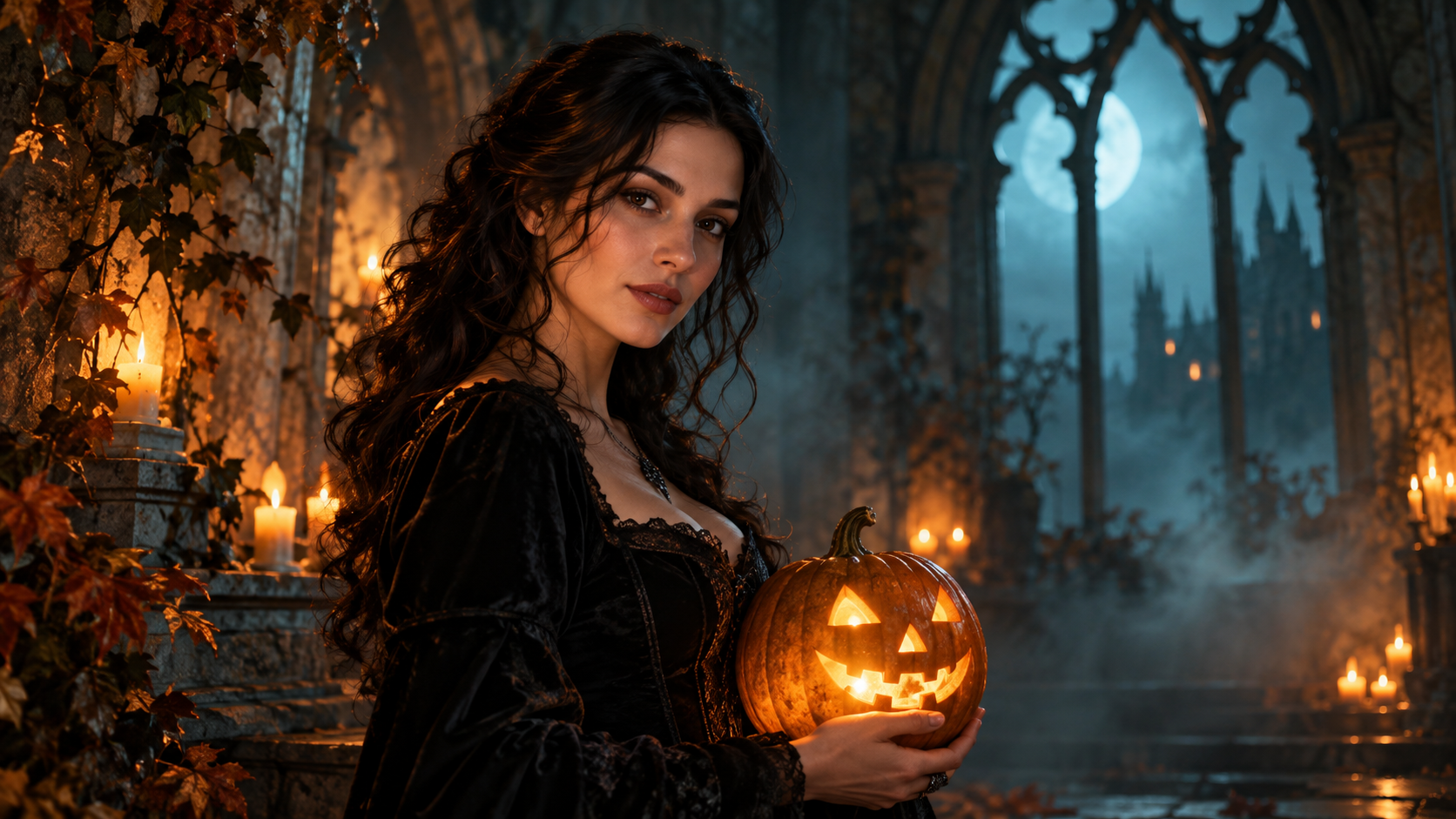
ハロウィン写真の編集は、人物そのものよりも衣装の変化が大きいときにうまくいきます。ここで紹介する8つのオリジナルNano Bananaハロウィン写真プロンプトは、あなた自身のポートレートを起点に、モデルへ具体的なシーンを指定しながら、あなたらしさを示す特徴を保持するよう求めます。GenoriqのNano Banana Proを開き、画像編集モードを選んで進めてください。
これらの例は創作の出発点であり、検証済みの出力や本人らしさの保持を保証するものではありません。GoogleはNano Banana ProをGemini 3 Pro Imageとして位置づけ、公式プロンプトガイドで被写体、構図、動作、場所、スタイルを説明することを推奨しています。ここでは、それらの要素を実用的なハロウィンポートレートのワークフローに落とし込みます。
編集に適したポートレートを準備する
鮮明で照明が十分にあり、顔が確認できる大きさに写った写真を1枚選びます。両目がはっきり見えるようにし、強い美肌フィルターは避け、背景はシンプルにしてください。全身が遠くに写った写真よりも、胸から上のポートレートのほうが評価しやすくなります。まずは保持したい表情から始めてください。新しいポーズ、表情、衣装、場所を同時に指定すると、顔の変化の原因を特定しにくくなります。
自分が所有しているか、編集許可を得ている写真を使用してください。アップロード前に、関係のない人物や私的な情報をトリミングして除きます。どの特徴が重要かを決めましょう。顔の輪郭、目の間隔、髪型、肌の色、そばかすのような際立った特徴です。比較用に元の写真を手元に置いておきます。
Genoriqで編集を設定する
- Nano Banana Proを開き、画像編集モードを選択します。
- 自分のポートレートをアップロードし、以下のプロンプトを1つ貼り付け、意図する衣装やシーンを説明する詳細だけを変更します。
- 対応しているアスペクト比を選びます。3:4はポートレート構図に適しており、9:16は縦長のソーシャル投稿用により多くの余白を与えます。これらは構図の選択であり、本人らしさを制御するものではありません。
- 利用可能な解像度を選択します。現在のフォームでは1k、2k、4kを選べますが、ファイルを大きくしても変わってしまった顔は修正されません。
- 生成し、元画像と比較して、問題を1つずつ修正します。もう一度処理する場合は、必要に応じて選択した画像を再度アップロードしてください。以前のタスクがコンテキストに残っていると想定しないでください。
コピーして使えるハロウィンポートレートプロンプト8選
1. カボチャランタンのポートレート
Edit the supplied portrait into an atmospheric Halloween photograph.
Preserve the person's facial proportions, eye color, skin tone,
hairstyle, age, and expression. Add a carved pumpkin lantern on a table
beside them and a simple dark coat. Keep the original head angle. Use
gentle amber side light and a softly blurred twilight garden. Keep both
eyes visible and natural skin texture. No face paint, no mask, no added
text.
2. ゴシック様式の図書館
Keep the person in the reference portrait recognizable, preserving their
face shape, features, skin tone, hairstyle, and expression. Change the
clothing to a restrained black velvet gothic outfit and place them in an
old library with tall windows and distant candles. Retain the original
pose and head angle. Soft window light illuminates the face. The
atmosphere is mysterious but the person remains natural, without
exaggerated makeup, fangs, or added text.
3. レトロな秋の仮装パーティー
Transform the supplied portrait into a candid late-1980s Halloween party
photograph. Keep the same person's face, age, expression, hairstyle, and
body proportions. Add a simple star-patterned cape over their outfit,
paper pumpkin decorations in the background, warm direct-flash lighting,
and subtle film grain. Preserve the original pose. Keep skin realistic
and the face unobstructed. No celebrity likeness, no recognizable movie
character, no captions.
4. 月明かりの魔女ポートレート
主なリスクは帽子です。眉を隠したり、生え際を変えたりする可能性があります。つばの位置を具体的に指定してください。
Edit the reference into an elegant moonlit witch portrait of the same
person. Preserve facial structure, eye spacing, skin tone, age,
hairstyle, and expression. Add a dark pointed hat with its brim above
the eyebrows and a textured cloak. Keep the original head angle. A
softly blurred autumn woodland and gentle blue rim light establish the
setting, while neutral soft light keeps the face clear. No facial
reshaping, no heavy makeup, no text.
5. フレンドリーなゴーストのシーン
超自然的な要素は被写体の後ろに配置します。顔の上に半透明のオーバーレイを重ねると、比較が不必要に難しくなります。
Keep the person from the supplied portrait unchanged in facial features,
hairstyle, age, skin tone, and expression. Create a playful Halloween
scene with two small friendly sheet ghosts far behind them in a softly
lit hallway. Keep the person's face and body fully solid and
unobstructed. Retain the original pose and use natural portrait lighting
with warm background lamps. No frightening injuries, no face overlay, no
lettering.
6. 顔を覆うマスクなしの秋の仮面舞踏会
仮面舞踏会の雰囲気を出すのに、被写体の顔を覆う必要はありません。装飾品は背景に置き、手や顔の複雑化を減らします。
Restyle the reference portrait as an autumn masquerade invitation
photograph. Preserve the person's face, expression, skin tone, age,
hairstyle, and pose. Add an elegant burgundy jacket and a softly blurred
room with gold ribbons and decorative masks displayed on the wall. Do
not put a mask on the person. Use warm, soft portrait lighting and
realistic fabric texture. Keep the image free of letters, dates, and
logos.
7. 居心地のよいカボチャカフェ
Edit the supplied portrait into a cozy Halloween café photograph of the
same person. Keep their facial proportions, eyes, skin tone, hairstyle,
age, and expression. Replace the outfit with a warm knit sweater and add
small pumpkins on shelves behind them. Preserve the original pose. Use
soft daylight mixed with gentle amber background lights, realistic skin,
and a shallow depth of field. No face smoothing, no new accessories
across the face, no text.
8. 映画のような幽霊屋敷ポスターポートレート
まずアートワークを生成します。正確なイベント名や日付は、ポートレート編集にタイポグラフィまで解決させず、デザインエディターで追加してください。
Create cinematic Halloween poster artwork from the supplied portrait,
keeping the same person's facial features, proportions, skin tone,
hairstyle, age, and expression. Retain the head angle and place an old
house in the distant background with mist near the ground. Add a dark
autumn coat and subtle amber rim lighting. Keep the face clearly
illuminated and leave quiet space above the subject for later layout. No
generated lettering, no logos, no face distortion.
雰囲気をさらに加える前に、変わってしまった顔を修正する
元画像と結果を同じくらいのサイズで比較します。目の間隔、鼻の形、あごのライン、生え際、特徴的な印を確認してください。本人らしさがずれている場合は、元の画像に戻り、衣装の変更だけを依頼します。それがうまくいったら、背景の編集を別のパスとして試します。新しいパスごとに違いが生まれる可能性があるため、最後に許容できたバージョンを保持しておきましょう。
肌が滑らかになりすぎた場合は、自然な質感が残るよう依頼します。目が隠れた場合は、帽子か照明を簡素化します。指が増えた場合は、禁止事項を積み重ねるのではなく、手に持たせる小道具を削除します。短く具体的な修正依頼のほうが、まったく別のプロンプトより評価しやすくなります。
よくある質問
これらのプロンプトで顔は正確に保持されますか? いいえ。これらは優先事項を示すものです。すべての結果を確認し、重要な特徴が変わった編集は採用しないでください。
別のNano Bananaモデルを使えますか? 創作アイデアは応用できるかもしれませんが、名称、入力、コントロールは異なります。別のモデルに同じ設定を使う前に、Gemini画像モデルガイドを確認してください。
プロンプトは翻訳すべきですか? 表現を調整することはできますが、残したい特徴は明確に指定してください。この記事の翻訳間で英語のブロックは変更されないため、例を比較可能な状態に保てます。
カバー:本記事のためにOpenAI ImageGenで生成したオリジナルのコンセプトイラストであり、Nano Bananaの出力でも、実演されたビフォーアフター結果でもありません。モデルとフォームの情報は2026年10月21日に確認しました。