Nano Banana LinkedIn 头像提示词:5 种自然风格
Genoriq · 2026年10月29日
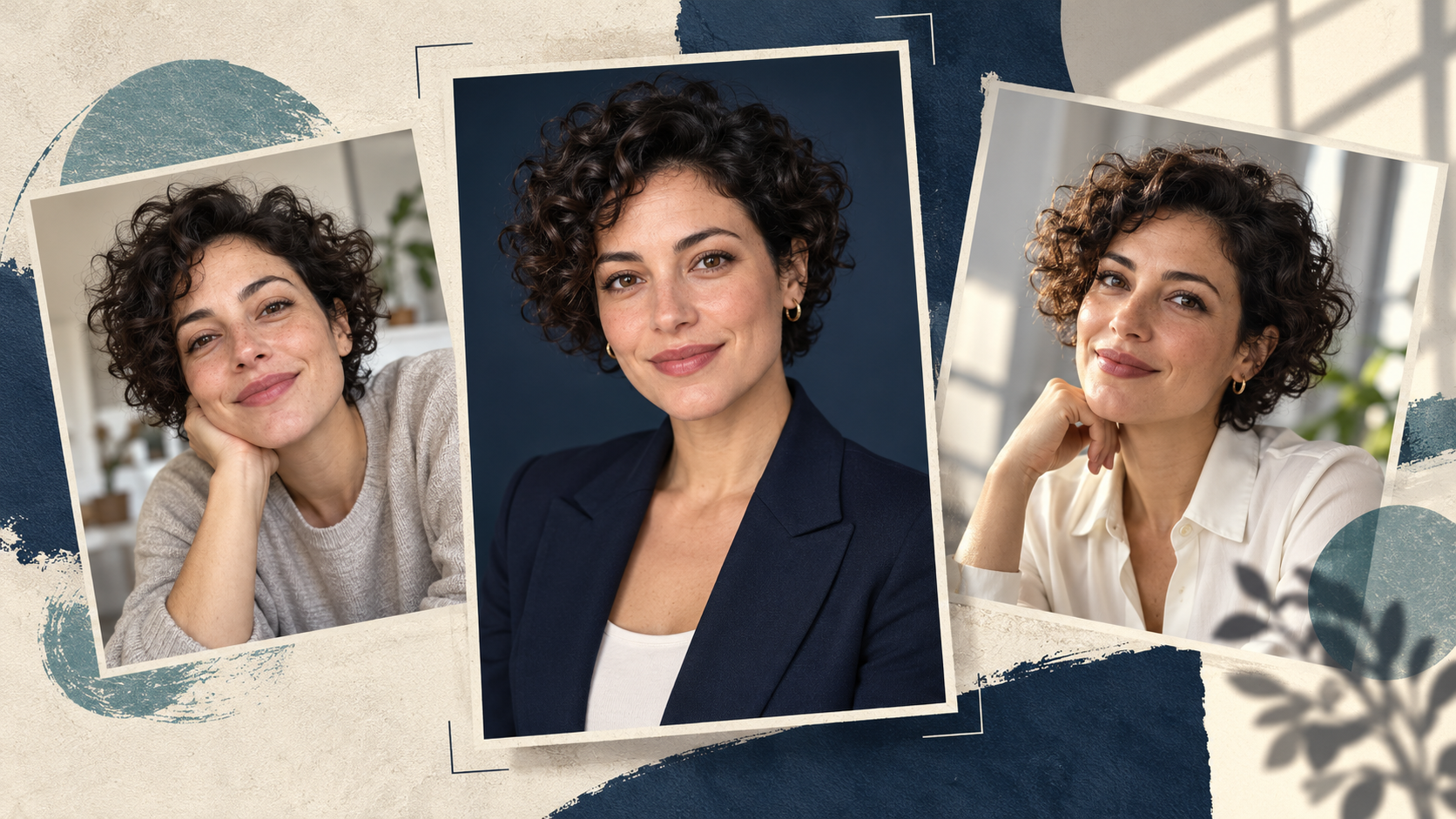
用 Nano Banana 制作 LinkedIn 职业头像,先准备一张清晰的本人照片,再用提示词明确需要修改的部分:整理背景、调整服装、改善光线。目标是做出一张见面时别人能认出你的头像,而不是一张凭空造出的新面孔。
打开 Genoriq 上的 Nano Banana 2,然后选择 Image editing。下方提供五组原创提示词供你尝试,并配有检查方法;文中不将它们作为实测结果展示。每组都围绕同一个人物,同时探索不同的职业场景。
先选一张清晰、真实的本人照片
使用近期、清晰、双眼可见、光线均匀,并且头部和肩膀周围留有足够空间的照片。直接用手机拍的普通照片,可能比重度滤镜的人像更有用。避免戴墨镜、使用强美颜滤镜、运动模糊,以及手遮住部分脸部。
选择一张带有你真正想要的表情的源照片。如果你同时要求模型凭空加入灿烂笑容、新角度和不同光线,它需要推断的信息就更多。第一次尝试时,保持姿势和表情不变,只改变场景或服装。
如果是团队页面,先统一构图和背景。使用你自己的图片,或你已获得编辑许可的照片。
在 Genoriq 中开始编辑
- 在 Nano Banana 2 编辑器 中,选择 Image editing 并上传一张人像。
- 方形头像图选择 1:1,分辨率可先选择 2k。这些是创作时的默认建议,不是 LinkedIn 的上传要求。
- 粘贴下方任意一组提示词。把服装细节替换成你现实中会穿的样式。
- 生成后,先拿面部与原图比较,再判断背景。
- 如果某个细节不对,回到原始参考图,做更小的修改。不要反复打磨一张已经改变过的脸。
Nano Banana 2 也称为 Gemini 3.1 Flash Image。其他版本请参阅 Gemini 图像指南。
五组 Nano Banana 职业头像提示词
每组提示词都假定已上传一张人像。请检查眼镜、发际线、牙齿和面部轮廓是否有意外变化。
1. 简洁的商务头像
适合简洁、正式的职业主页。
Edit the uploaded photograph into a natural professional
headshot of the same adult. Preserve their facial proportions,
age, skin tone, hairline, hairstyle, visible distinguishing
features and original expression. Keep a chest-up composition
with comfortable space above the head. Use a plain warm-gray
studio background, soft light from the front-left and a simple
navy blazer over a neutral shirt. Retain realistic skin texture
and natural asymmetry. Do not reshape the face, whiten the eyes,
add teeth or apply glamour retouching. Keep the result
believable as an ordinary professional portrait.
检查西装外套领口是否与原始姿势相符,以及脸是否变窄了。
2. 亲切的日常办公人像
试试轻松的办公环境。
Keep the same person, facial features, age, hair and expression
from the reference photo. Create a relaxed chest-up office
portrait with a softly blurred, uncluttered workspace behind
them. Dress them in a plain dark-green knit top, without badges
or logos. Use broad, gentle window light and realistic skin
texture. Keep the background quiet, with no readable screens or
text. Preserve the original head angle and glasses if present.
The mood should be approachable and calm, without exaggerated
smiling or a polished fashion-ad appearance.
检查眼镜中的反光,以及背景光是否与面部光线一致。
3. 适合创意从业者的头像
让色彩传达个性,又不抢走面部的注意力。
Use the uploaded portrait as the identity reference. Preserve
the person's face, age, skin tone, hairstyle and expression.
Make a contemporary creative-professional headshot against a
muted teal backdrop with subtle texture. Keep their existing
clothing if it is visible. Frame from the chest upward, with the
eyes near the upper third and room for a circular crop. Use soft
directional light, natural contrast and visible skin texture.
Avoid props, neon effects, dramatic shadows, invented
accessories and changes to facial structure.
如果在缩略图尺寸下,带纹理的背景会和眼睛抢视觉焦点,就简化背景,而不是锐化面部。
4. 风格统一的团队介绍头像
让每位同事分别上传自己的照片,使用同一套构图提示词。
Create a team-directory portrait from this person's reference
photo. Keep their identity, age, expression, hairstyle, skin
tone and visible clothing unchanged. Use a clean light-gray
background and soft balanced lighting. Place the person
centrally in a square chest-up composition with consistent
headroom and both shoulders comfortably inside the frame. Keep
natural skin texture and realistic facial proportions. Remove
background distractions only; do not redesign the person's
appearance. Leave sufficient space for a circular profile crop,
with no text, company marks or decorative graphics.
比较整组头像中的头部大小和眼睛位置。不要用肤色、发型或脸型来判断一致性。
5. 自然窗光人像
适合不那么正式的职业介绍。
Edit the reference photo into a natural professional portrait
beside an unseen large window. Keep the same face, age,
hairstyle, skin tone, expression and clothing. Use a simple warm
off-white background with gentle daylight falling across the
face and soft, believable shadows. Maintain a chest-up
composition and the original head angle. Preserve fine skin
detail and ordinary imperfections. Avoid golden glamour
lighting, artificial eye sparkle, heavy blur and a plastic-skin
finish. The image should feel like a careful photograph taken in
a quiet room.
留意双眼亮度是否不均,或阴影是否让脸的一侧看起来结构不同。
先修正面部,再打磨风格
已经不像你: 从原始照片重新开始。删除会改变姿势、表情或头发的指令。先只要求修改背景,然后再重新评估。
皮肤看起来像蜡: 删除“无瑕”“完美”这类词。要求保留普通的皮肤纹理,减少美颜和修饰方面的要求。仅提高分辨率并不能恢复已经改变的脸。
服装看起来不自然: 保留原服装,只改变周围环境。复杂领口、靠近脖子的手和凭空添加的首饰都会引入需要额外检查的细节。
裁剪显得局促: 在你常用的编辑器里,把方形图放进圆形遮罩中预览。上传前,按实际头像尺寸检查头发、下巴和肩膀。
常见问题
可以用自拍制作 AI 头像吗? 可以,清晰的自拍可以作为参考。强烈的广角畸变或面部被遮挡不适合作为参考;换一张源照片可能比写更长的提示词更有帮助。
提示词能完全保留我的脸吗? 没有任何提示词能保证这一点。请把结果与源照片比较;如果面部特征已经发生变化,就放弃这张看似精致但不像你的图。
应该先试哪种风格? 选择最接近你现有照片和预期职业场景的那一种。先在 Nano Banana 2 编辑器 中只修改一个方面。
能力参考:Google 的图像生成文档。模型命名和 Genoriq 控件信息核查于 2026 年 10 月 29 日。
封面:使用 OpenAI 图像生成创建的原创概念插画。图中人物为虚构,并非 Nano Banana 的输出,也不是前后对比测试。