Between Two Frames: A Seedance Editing Notebook
Genoriq · Oct 25, 2026
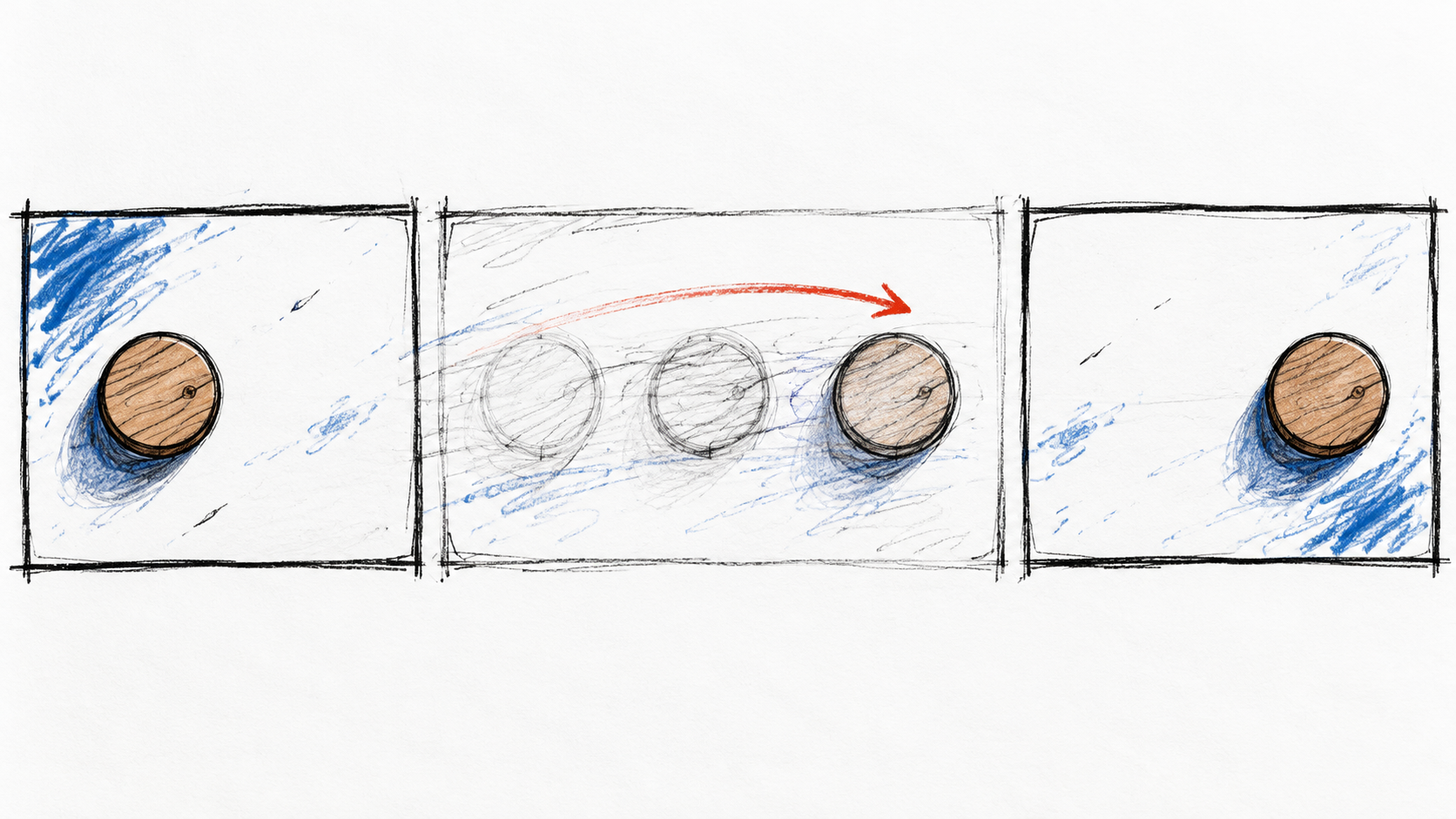
At the start, a wooden token sits on the left of a table. At the end, it sits on the right. Somewhere between those two perfectly reasonable images, it might spin, stretch, or briefly become two tokens. The endpoints can look right while the shot still fails.
This is an editor's notebook for that gap. Use these Seedance first and last frame prompts in Seedance 2.0 on Genoriq, with two compatible images. The notebook follows an invented planning exercise and possible faults; it does not claim that these prompts were tested or that any particular failure occurred.
Before playback: the sentence that holds the shot together
Write one sentence describing the change: a wooden token slides a short distance across a stationary tabletop. Everything outside that sentence becomes something to preserve. The camera stays overhead. The token keeps its diameter and orientation. The table grain stays in place. The light comes from the same direction.
Prepare the ending from the same scene as the beginning wherever possible. Keep the image dimensions and crop aligned. If the last image also enlarges the token, rotates its grain, and changes its shadow, you have given the model several tasks that the sentence never mentioned. Correct the references before asking a longer prompt to reconcile them.
For a quick visual comparison, place the images on separate layers in an ordinary editor and alternate their visibility. A moving tabletop corner reveals a framing discrepancy more quickly than repeated inspection of the subject alone. This is a preparation technique, not a Seedance control. A deliberate camera move will require different landmarks, so judge alignment against the intended action.
The BytePlus Seedance documentation covers first-and-last-frame generation. On the Genoriq standard 2.0 image-to-video entry checked on October 25, 2026, upload the starting image first and the intended ending second. The upload order supplies their roles. A prompt mentioning two images does not supply a missing reference.
At the monitor: one short take
Open the Seedance workspace, choose image-to-video, and check that both previews are in the intended order. Choose an aspect ratio that suits the references. A five-second request is a reasonable creative starting point for this small action; it is not a timing guarantee or an automatic cure for difficult endpoints.
Select an available resolution and decide whether you want generated audio. In this entry, motion instructions and unwanted changes go into the main prompt because there is no separate negative-prompt field. For an orientation to the other choices, use the Seedance workflow guide.
Connect the two supplied images in one continuous overhead shot.
A single round wooden token slides from its starting position to the
position in the second image, staying in contact with the tabletop.
Keep the camera locked and the tabletop grain stationary.
Preserve the token's diameter, thickness, grain and orientation.
Use a short, smooth slide, then decelerate into the intended ending.
No spinning, bouncing, duplication, hands, scene cut or new objects.
Watch the complete result once without pausing. Does the movement read as a slide? Does the ending feel like a natural stop? Your first impression matters because the eventual viewer will see motion, not a row of carefully selected stills. Then investigate any moment that felt wrong.
Margin note: the table moves before the token does
This hypothetical fault points toward the relationship between the references and the camera instruction. Compare the four corners of the table, the grain pattern, and the shadow direction in the two source images. If those features change, a locked-camera prompt is competing with the visual evidence.
Rebuild the pair so only the token moves, or deliberately choose a camera move and describe it. Avoid requesting both a locked view and an orbit in the same brief. After correcting the pair, reuse the slide prompt; you do not need a new creative concept for every technical repair.
If the framing change was intentional, a different shot sentence may serve the project better. An illustrated shop window is useful here because you can prepare a modest closer view from the same artwork. Use the following only with that matching pair, not with the tabletop images.
Move from the first supplied shop-window illustration toward the closer
composition in the second image with a gentle forward camera push.
Preserve the window design, display objects and drawn line quality.
Keep the camera direction straight, with no sideways pan or orbit.
Objects stay still. Ease into the final framing without a sudden jump.
No new lettering, redesigned display, scene cut or melting outlines.
Margin note: the ending arrives in a rush
A late snap can make an otherwise calm movement unusable. Pause just before the jump and compare that frame with the intended ending. Is the remaining distance unexpectedly large? Does the subject still need to turn? Does the ending reveal something absent from the starting view?
Try reducing the change between the references. A short slide gives the model less spatial change to explain than a trip across the entire table. Keep a copy of the earlier pair so you can tell which revision helped. Increasing duration is another creative experiment, but it cannot remove a contradiction between two images.
An opening curtain illustrates the same principle. Start with a partially open curtain and end slightly farther open. A completely covered window followed by an unrelated furnished room asks for much more invention. With a compatible curtain pair, the motion brief can stay compact.
Use the first image as the starting composition and the second as the
intended ending. The pale curtain slides gently to the right, exposing
a little more of the same window. Keep the camera and furniture still.
Preserve the fabric, window structure and daylight color.
Let the motion slow naturally as the curtain reaches its final position.
No room redesign, new objects, sudden zoom, cut or abrupt final jump.
The edit decision: keep, revise, or change the transition
Inspect the opening, quarter point, middle, three-quarter point, and ending, then step frame by frame through suspicious intervals. Those five checkpoints are a first pass, not a substitute for reviewing the whole clip. Watch the edge of the token, its contact with the table, and the stationary background separately.
Keep a shot when its movement works in the surrounding sequence and its details survive inspection. Revise when you can name one visible fault and a corresponding change to the references or motion request. Change the transition when the desired connection depends on hidden geometry, exact timing, or a transformation that repeatedly produces unusable frames.
An ordinary cut, dissolve, or editor-controlled zoom can be the right finishing choice. If you only need a little ambient motion, try one starting image without forcing a second target. If the object is commercial packaging, add the stricter checks in the product consistency guide, especially for labels and shape.
Before export, watch the chosen take in context at normal speed. An identical starting and ending image does not prove a seamless loop; motion and audio can still jump at the boundary. Judge the actual transition, including the moment after it, rather than approving a pair of attractive endpoints.
Cover: original hand-drawn storyboard concept generated with OpenAI ImageGen. The sketched positions explain a motion plan; they are not frames from a Seedance test.